
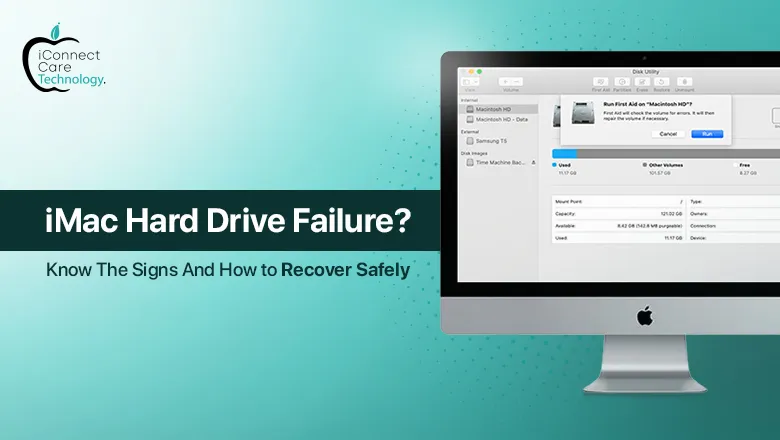
A hard drive failure of your iMac can be truly devastating, especially when it happens without warning. If you use your iMac for business, design and illustration or general home use, losing data or experiencing slowdowns can cause major upset to your workflow. In this blog, we will explain some symptoms of iMac hard drive failure, the data recovery options you have and the best places for iMac repair in Bangalore.
Symptoms of iMac Hard Drive Failure
Being aware of the early symptoms of hard drive failure can allow you to prevent complete loss of data. Below are the symptoms:
- An extremely slow performance even when only a couple of apps are open.
- Frequent crashing and freezing of the macOS.
- Weird clicking or grinding sounds coming from the back of your iMac.
- Files that take too long to open or are corrupt.
- The infamous folder with a question mark icon during startup.
If you observe any of these issues, it is best not to scratch your head for too long. If you keep using your failing hard drive, you’ll run the risk of doing major damage and will affect how you can recover your data.
What Are the Reasons for iMac Hard Drive Failures?
There are many reasons why hard drives fail. There are some common reasons:
- Age of the hard drive – Hard drives age and wear just like any other mechanical system.
- Power surges or outages – When you encounter a power failure that causes sudden shutdown the possibility of disk corruption and loss.
- Physical damage – Incidents such as dropping the iMac cause shock and vibration that affect internal hardware.
- Overheating – If your iMac lacks the adequate air circulation you risk damaging the hard drive components.
- Bad sectors – Areas of the hard drive become unreadable and unusable over time.
While some failures cannot be predicted, it is often possible to get a backup and watch out for signs of system failure. In the end, the benefits of knowing the general health of your iMac will outweigh the downfalls of possible loss.
Solutions and Recovery Options
1. Backup and Data Recovery
If your iMac is still functional you can do a back up before anything else using Time Machine or any other back up tool. If it has failed don’t start rebooting or trying to fix the iMac, this will only make it worse. Take the iMac to a professional that offers data recovery solutions.
2. Replacement of the iMac Hard Drive
In most cases of hard drive failure, the best solution is a complete iMac hard drive replacement. A successful fix means a new SSD (Solid State Drive) replacing the old drive. An SSD will not just fix the problem it will also speed everything up significantly.
3. Know the price before you commit.
The costs associated with replacing an iMac hard drive are dependent on the iMac model and the type of hard drive you decide to choose (HDD or SSD). It is always a good idea to know iMac hard drive replacement cost before work is carried out.
Where to get reliable help in Bangalore
When it comes down to reliable iMac repair in Bangalore, iConnect Care Technology is a repair shop that we have found to be a safe place for people using Apple. Located in the center of town, we specialize in repairs of all Apple devices including iMac.
We use all quality parts and also offer a doorstep pickup, and drop service. Whether your iMac is out of warranty or just lagging, their technicians will make sure to guide you with honest advice and cost effective plans.
Preventing future failures
To help prevent another hard drive failure in the future:
- Make regular backups of your data using Time Machine or other storage cloud options.
- Be sure to keep your iMac from getting too hot and always keep your iMac current with the latest macOS.
- Be sure to provide adequate cooling and ventilation for your iMac.
- Never turn the power off or shut down your iMac unexpectedly. If you can, always use a power surge protector.
- Check the hard drive every so often with the Disk Utility or any other independent third-party tools.