
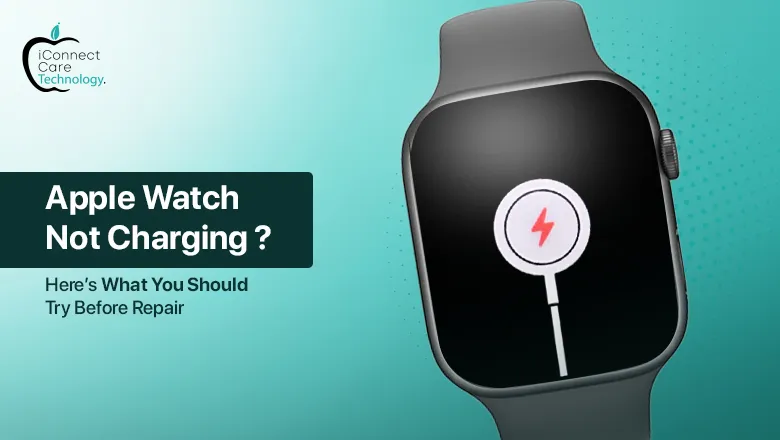
Your Apple Watch is your daily sidekick—monitoring fitness, taking calls, sending notifications, and more. But what do you do when suddenly, your Apple Watch is not charging? It’s annoying, we know. Before you panic or rush for an iWatch repair, here are some useful and easy steps you can do at home.
Check the Basics First
- Is the charger correctly plugged in?
- Loose connections or dust in the charging port may occasionally prevent the watch from charging correctly.
- Change a different power adapter or plug.
- Charging bricks and wall sockets could be broken. Switching should determine the problem.
Check Your Charger
- The most frequent reason for the Apple Watch charging issue is a compromised or damaged charger.
- Check for signs of wear and tear on or frayed cables.
- Use the original charger supplied with your Apple Watch, if available.
- Test your charger on another Apple Watch to see if the issue lies with the charger or the watch.
- If your charger appears to be the issue, you might be experiencing Apple Watch charger issues that a replacement would solve.
Clean the Charging Surface
- Dust, dirt, or sweat accumulation on the back of your Apple Watch or the charger can disrupt charging.
- Clean the back of your watch and the charging pad with a soft, dry, lint-free cloth.
- Don’t use any liquid cleaners or abrasive surfaces.
- This little trick can easily solve a very common Apple Watch charging problem that most users neglect.
Restart Your Apple Watch
A fresh reboot can solve minor software issues:
- Press and hold the side button until the “Power Off” slider is visible.
- Slide to turn off the watch.
- Wait for a couple of seconds, and press and hold the side button to turn it back on.
- If the watch begins to charge after the reboot, it was probably a temporary glitch.
Update Your WatchOS
Apple regularly pushes updates that resolve issues, including Apple Watch charger issues. Place your watch near Wi-Fi and navigate to:
- Settings > General > Software Update
- Download and install any available update. Inspect if the watch is charging after updating.
Try a Force Restart
If a standard restart fails:
- Press both the side button and Digital Crown simultaneously for approximately 10 seconds.
- Release both buttons once the Apple logo is seen.
- This works if your Apple Watch fails to charge because of a frozen software or non-responsive system.
Still Not Working? Professional Help Time
If all the above steps didn’t work, your watch could have a hardware problem. In this situation, the best thing to do is head to a trusted iWatch repair center.
iConnect Care Technology in Bangalore is one to call for Apple device repair. Situated in the city center, they provide professional service for iWatch repair, MacBook repair, iPhones, and others. From issues with Apple Watch chargers to screen-related issues, their professionals offer speedy and authentic solutions with quality parts.
Final Thoughts
Having an Apple Watch charging problem can be frustrating, but often it’s something simple you can repair yourself. From cleaning the charger to rebooting your device, these quick tips usually work.
But if your Apple Watch is not charging even after trying everything, don’t hesitate to visit a trusted service center. Especially if you’re in Bangalore, iConnect Care Technology can be your go-to place for quick and reliable iWatch repair services.