
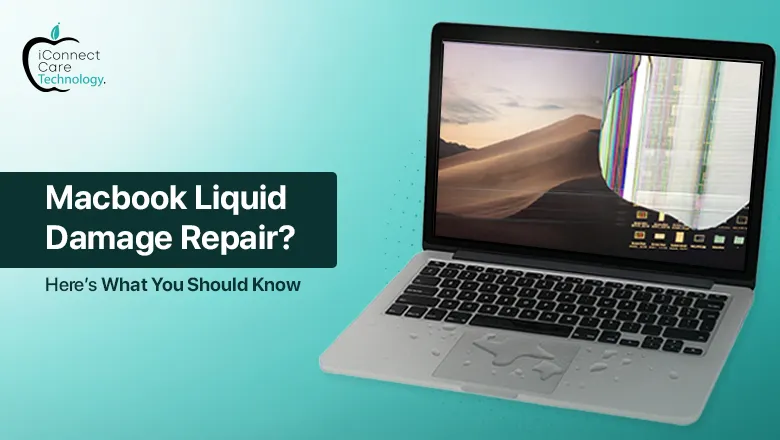
Water damage to a MacBook is one of the most common and serious issues users face. Given the nature of the work that the MacBook’s users do in a city like Bangalore, it is easy to see the number of potential water damage incidents. If you combine the frequency of accidental spills during a busy day or giving up on avoiding the raindrops during the monsoon season, MacBook water damage is a common occurrence. MacBook water damage can lead to many complications, from a battery not charging properly to a complete shut down. This blog goes over what you should do when your MacBook gets wet, simple signs of water damage, how component-level repairs can be crucial, and how to locate the best services for MacBook water damage repair in Bangalore.
Signs of Water Damage in a MacBook
There are times when your MacBook contacts liquid, and you will see early signs of damage such as;
- The battery does not charge properly
- Flickering or unresponsive screen
- Randomly shuts down or will not boot
- Strange noises from the fan or playing through the speakers
- Keyboard or trackpad will not work
These are all signs that it is time for urgent MacBook Liquid Damage repair. Waiting for a professional to help with any of these after initial contact with the water is detrimental. Delaying assistance can lead to internal corrosion of significant components like the motherboard, battery, or even SSD.
The Importance of Component-Level Repairs
To find expert-level MacBook Water Damage repair, always choose technicians who specialize in micro soldering and micro soldering diagnostics. They will be able to assess the condition of the entire system and repair only what is necessary to restore the device to functioning condition, while helping to maintain the damage and longevity of the device.
Common Water Damage Symptoms
Here are a few specific issues experienced by users after liquid spillage:
- Battery is not charging properly (usually due to shorted charging circuits)
- Burn marks on the motherboard
- Rust or corrosion on connectors
- Non-functional keyboard or ports
These issues demand more than surface-level cleaning. Professional MacBook Liquid Damage repair includes ultrasonic cleaning and replacing or repairing damaged logic board components.
Where to Get Professional MacBook Water Damage Repair in Bangalore
If you’re in Bangalore and your MacBook is showing signs of water damage, look no further than iConnect Care Technology. Located in Bangalore, their team of Apple device specialists is equipped with advanced tools for MacBook Liquid Damage repair and component-level repairs.
They carry out a thorough water damage inspection using industry-grade diagnostic equipment. From minor corrosion to complex board-level issues, they offer trusted solutions at reasonable costs.
Whether it’s MacBook repair in Bangalore for water damage, screen replacement, or logic board issues, iConnect Care Technology is a reliable option.
Preventing Further Damage: What You Can Do
After a liquid spill, take these steps immediately:
- Turn off the MacBook and disconnect the power
- Do not try to dry it using a hairdryer or heat source
- Place it in an upside-down position to allow liquid to drain
- Bring it to a MacBook repair specialist as soon as possible
Never assume that drying the MacBook externally means it’s safe to use again. Internal damage often goes unnoticed until it becomes worse. A professional MacBook Water Damage repair service can save you from expensive replacements later on.
Conclusion
MacBook water damage is a serious issue, but with timely attention and the right repair professionals, it doesn’t have to mean the end of your device. Whether you’re dealing with a battery not charging properly or other internal damage, go for expert MacBook Liquid Damage repair in Bangalore to get your MacBook back in action.
With services like those offered at iConnect Care Technology, MacBook repair in Bangalore is now more accessible and reliable than ever. Don’t wait until minor damage turns into a major expense—get a proper water damage inspection today and keep your MacBook running smoothly.